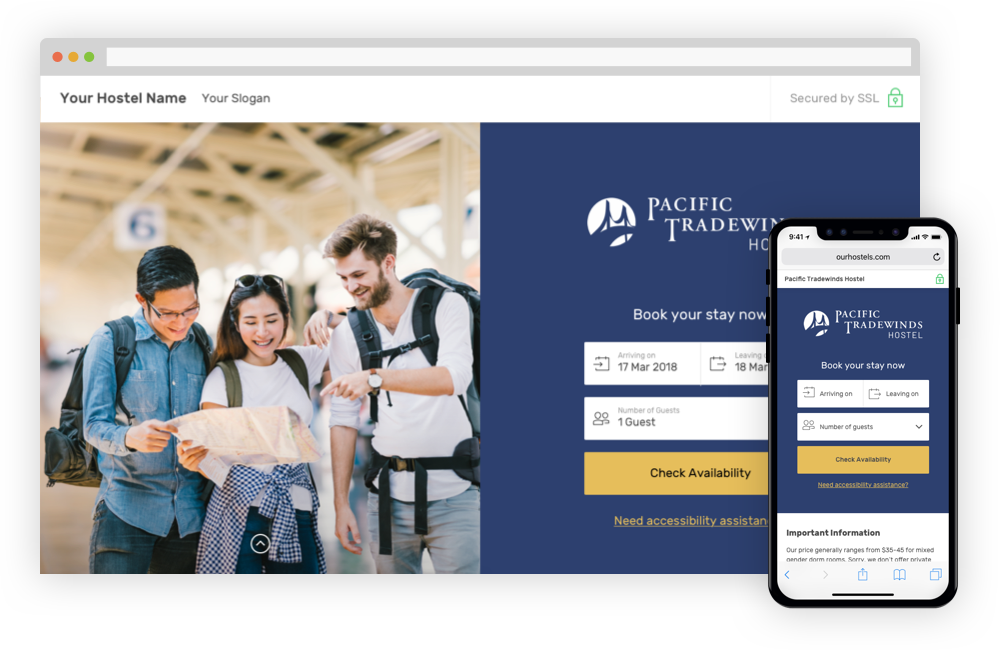
HostelSnap provides modern booking engines for hostels, hostel directories, and hostel associations. Launch an OTA-style booking experience on your website, control your inventory and guest relationships, and earn commissions from bookings made through your platform.
HostelSnap technology powers websites like Hosteling.US and many indivdual hostels.
I want this also!
@courtneyloechl2 - Yikes this is bad. It seems to happen when you save the DNA/DNE status. Please remember to save the bad guests ID details before you put the guest on DNA/DNE status. @neeeeeeext - I know you have other things on your list and I don't want to overwhelm and distract you.
this is now fixed @darren85 It was a relatively easy fix, but I guess the issue is one of those that could easily go pass testing and staging
@neeeeeeext New problem which is perhaps worse. To test this, I searched for an old guest (one that was before we were collecting ID data). In this case, the guest was "Nick Penning". I confirmed I could search for the guest using Previous Guests > Search for Guests - "Nick Penning". Then I edited his details, and added "test", "test" and "test" to his ID info. Then I went back to search for the guest using Previous Guests > Search for Guests - "Nick Penning". Now the guest was not found. This was not happening the other day when I tested the original bug. Yes, indeed I can see us not noticing things like this in testing and staging. My hope is you and I can work closely with Albert so he can become a good tester. Part of testing is technical skill, but mostly I think it involves taking the time to think deeply about all the places data is saved and how things can go wrong. Albert is more patient than I am.
@darren85 I will be sure to save guest details
@darren85 and @courtneyloechl2 this is now fixed @darren85 this bug made it so the id_bed was removed from the guests table, thus making the respective guest unsearchable from the https://pt.hostelsnap.com/guests/previous_guests/ page (but could still easily be found from the https://pt.hostelsnap.com/setupwizard/people_database/all page ) I also went inside the database and re-added the appropriate bed ids to the records that were affected by this.
@neeeeeeext Sorry to report, but this fix failed testing. Here's what I did. 1. Went to page 161 of Previous Guests and selected a random guest (Saagar Yadav) 2. Verified the guest could be found using the Guest Search. 3. Viewed guest details to confirm there was no data in the ID (custom) fields. 4. Edited and saved details for Saagar Yadav to include the word "test" in all ID fields. 5. Viewed guest details to confirm there was "test" data in the ID (custom) fields. 6. Verified the guest could still be found using the Guest Search. 7. Searched for the guest in the People Database 8. Set the guest to DNA/DNE 9. Verified the guest could be found using the Guest Search - it was. 10. Viewed guest details to confirm there was "test" data in the ID (custom) fields. - FAILED "test" not there anymore This rarely comes up and as long as @courtneyloechl2 knows she neds to manuall save the ID details offline if she sets any other guests to DNA/DNE
@neeeeeeext Thanks much
@darren85 Noted
@courtneyloechl2 Yes, test first then feel free to post the results of your test (so I will know you did it) and then archive.
@darren85 Thanks. Always trust your first instinct...I thought "I didn't see a reply from Darren so I should probably test this in case he didn't" but also had the thought "archive things when they are done instead of just leaving it for someone else". Always better to test, even if we both do. Thanks for catching
hmmm this is so strange @darren85 as It works just fine on my end. I wonder if I forgot to commit last night and the changes got pushed along with the ones I did today... can you please do a test again @darren85 or @courtneyloechl2 to confirm this is indeed working fine.
@neeeeeeext Still not working properly for me. See previous guest "Hao Hsiang Shih" he should still have "test" on all ID fields. He does not ever since I made him DNA/DNE. I have since removed his DNA/DNE status but he still lost his ID fields.
ooooh @darren85 this is because you guys used a different page then I did to set the page as DNA. Normally this should be the page where you edit the DNA info: http://dev.localhost.com/setupwizard/people_database/all but I forgot to also change the menu link and it went to the old page. I changed it now so all should be fine.
@darren85 Can you test this please?
@neeeeeeext @courtneyloechl2 This problem is solved. However, (am I going crazy?), wasn't the people database being shown with the main menu on the left? Now it's back to the old way, where it's part of the setup wizard. I know it's always been available on the setup wizard but I though when we moved it to the main menu as well, we began displaying it like any other page.
This is what I told you @darren85 - I just changed the link to only display the setupwizard one. All the problems in this ticket appeared because I didn't realized there are two pages where you can set the guest as DNA from. If you need the people database to be shown as a regular left menu page also, let me know and I'll modify things in such a way as to pull the html form from one single location so we don't encounter duplicate code problems again.
@darren85 Yes, you are correct, as Petre said below. It's useful to have it showing on the left, but I'll leave that decision between the two of you since it has to do with potentially more work.
@neeeeeeext Sorry I missed this comment. When we get around to it, let's just have the non-setup-wizard version of it linked from the main menu. It's not needed on the the Setup Wizard so we can remove the link there.
@neeeeeeext Let's remove the People Database from the Setup Wizard. It's more appropriate to have it on the main menu. Of course, it's already on the main menu, so in other words, the people database should not have the Setup Wizard index on the right.
done @darren85 (committed just to dev for now)